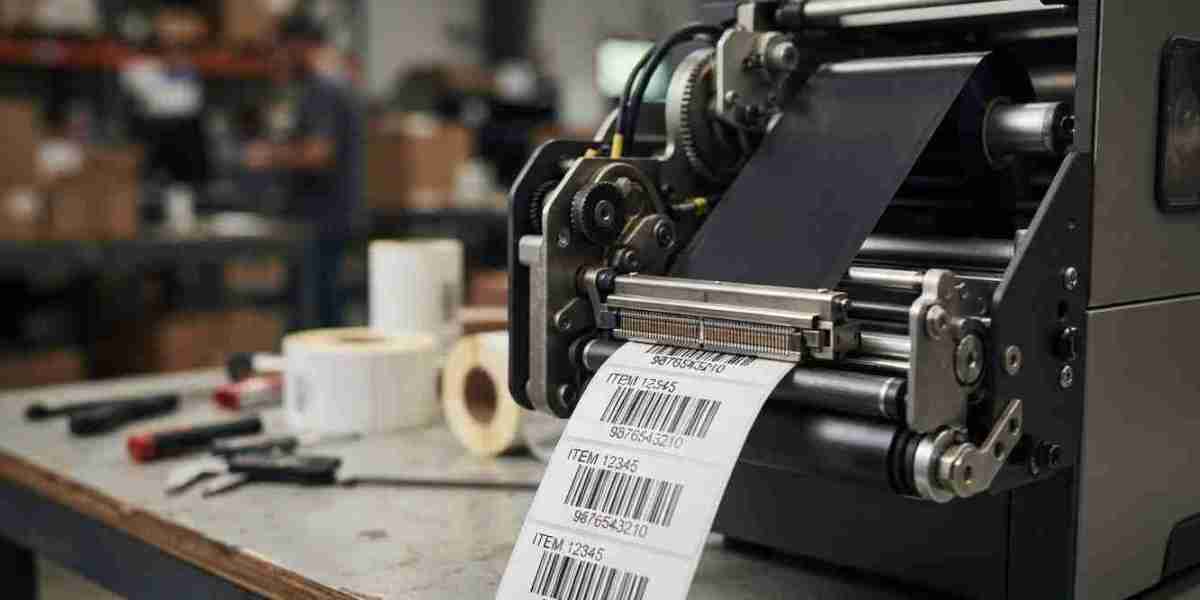

Barcode printers play an important role in inventory management, product identification, shipping, and warehouse operations. However, even a reliable printer can produce poor-quality labels when its printhead begins to wear out. Faded barcodes, missing lines, uneven printing, and scanning errors can disrupt daily workflows and increase operating costs.
One common question businesses ask is: How often should barcode printer printheads be replaced? The answer depends on print volume, label and ribbon quality, maintenance practices, printer settings, and the operating environment.
Understanding the signs of printhead wear can help businesses replace components at the right time, avoid unnecessary downtime, and maintain consistent barcode quality. Pointus Solutions helps businesses explore barcode printing and identification solutions, while Shop Barcode provides access to relevant Printing Products for different business requirements.
In this guide, we explain how long barcode printer printheads typically last, which warning signs to watch for, and how to extend their service life.
Table of Contents
- What Is a Barcode Printer Printhead?
- How Often Should You Replace a Barcode Printer Printhead?
- Factors That Affect Printhead Lifespan
- Signs Your Barcode Printer Printhead Needs Replacement
- How to Extend the Life of a Printhead
- Should You Repair or Replace a Printhead?
- Why Timely Printhead Replacement Matters
- Frequently Asked Questions
- Conclusion and Call to Action
1. What Is a Barcode Printer Printhead?
A barcode printer printhead is the component responsible for creating text, barcodes, and graphics on labels. In thermal printers, it uses small heating elements to produce images on the printing surface.
There are two common types of thermal barcode printing.
Direct Thermal Printing
Direct thermal printers use heat-sensitive label material. The printhead heats specific areas of the label to create text and barcodes without requiring a ribbon.
Printhead wear can affect barcode clarity, making regular inspection and cleaning important.
Thermal Transfer Printing
Thermal transfer printers use a ribbon that transfers ink onto the label when heated by the printhead. This method is often used when labels need greater durability or must withstand specific environmental conditions.
The printhead comes into contact with the ribbon and label during printing. Using compatible supplies and maintaining the printer properly can help reduce unnecessary wear.
In both types, the printhead is a critical component because its condition directly affects print quality and barcode readability.
2. How Often Should You Replace a Barcode Printer Printhead?
There is no universal replacement schedule for every barcode printer. Some printheads last for millions of linear inches of printing, while others may wear out sooner because of heavy workloads, abrasive materials, unsuitable settings, or poor maintenance.
Many manufacturers specify printhead life in terms of linear inches or kilometers printed rather than a fixed number of months or years. The exact rating depends on the printer model and operating conditions.
As a practical guideline:
- Low-volume businesses: A printhead may last for several years when the printer is used occasionally and maintained correctly.
- Medium-volume operations: Regular inspections are important because consistent daily printing can gradually wear down the printhead.
- High-volume warehouses and factories: Printheads may need replacement more frequently due to continuous operation and high label output.
These are general expectations, not guaranteed service-life estimates. Always consult the printer manufacturer's documentation for the rated printhead life and recommended maintenance schedule.
Rather than replacing a printhead only because a certain amount of time has passed, monitor print quality, review usage, and follow the manufacturer's recommendations.
3. Factors That Affect Printhead Lifespan
Several factors influence how long a barcode printer printhead remains effective.
3.1 Printing Volume
The more labels a business prints, the more frequently the printhead operates. High-volume applications naturally place greater demands on the component.
Warehouses, distribution centers, manufacturing facilities, and shipping departments should monitor printhead condition regularly to identify wear before it affects operations.
3.2 Label and Ribbon Quality
Poor-quality labels can contain rough surfaces or particles that increase friction against the printhead. In thermal transfer printing, an unsuitable ribbon can also affect print quality and contribute to wear.
Choose labels and ribbons that meet the printer manufacturer's compatibility requirements. Reliable Printing Products can help support consistent output and reduce avoidable printing problems.
3.3 Print Darkness and Heat Settings
Excessive print darkness or heat settings may place unnecessary stress on the printhead. They can also contribute to overheating or accelerate wear under certain conditions.
Use the lowest darkness setting that consistently produces readable barcodes. Adjust print speed and darkness according to the label material, ribbon type, and printer manufacturer's guidance.
3.4 Cleaning and Maintenance
Dust, adhesive residue, and other contaminants can accumulate on the printhead. These materials may cause uneven printing or increase friction during operation.
Follow the manufacturer's cleaning instructions and recommended schedule. Always use approved cleaning materials and allow the printer to cool or power it down as instructed before maintenance.
3.5 Operating Environment
Dusty production areas, excessive heat, and other demanding environmental conditions can affect printer performance. Abrasive labels and contaminated supplies may be particularly problematic in industrial settings.
Keep printers in suitable locations and protect them from unnecessary contamination.
3.6 Printer Compatibility and Setup
Incorrect installation, incompatible supplies, improper pressure settings, or unsuitable printer configurations can contribute to poor printing performance.
Ensure that replacement printheads, ribbons, and labels are compatible with the exact printer model.
4. Signs Your Barcode Printer Printhead Needs Replacement
Recognizing printhead problems early can help businesses avoid repeated printing errors and operational delays.
4.1 Faded or Uneven Printing
If printed text and barcodes appear lighter in certain areas, the printhead may have damaged or worn heating elements.
However, faded printing can also result from low darkness settings, incorrect ribbon selection, contamination, or other printer issues. Check these possibilities before replacing the printhead.
4.2 Missing Lines in Barcodes
A barcode containing thin, blank lines or repeated gaps may indicate damaged printhead elements. These defects can make barcodes difficult or impossible to scan.
Print a test label and examine whether the same defects appear consistently in the same position.
4.3 Repeated Scanning Failures
If scanners frequently fail to read newly printed labels, inspect the print quality. Damaged printhead elements can produce incomplete barcode patterns.
Also check barcode dimensions, contrast, quiet zones, label material, and scanner compatibility. Not every scanning problem is caused by the printhead.
4.4 Poor Print Quality Despite Cleaning
If print quality does not improve after correct cleaning and appropriate adjustments, the printhead may have reached the end of its useful life.
Inspect the printer according to the manufacturer's troubleshooting procedure before deciding on a replacement.
4.5 Visible Damage
Scratches, chips, or other physical damage to the printhead's surface may affect printing. Damage can occur when abrasive materials, sharp tools, or improper cleaning methods come into contact with the component.
A visibly damaged printhead generally requires professional assessment or replacement according to the manufacturer's instructions.
5. How to Extend the Life of a Printhead
Businesses can reduce premature printhead wear by following consistent maintenance practices.
Clean the Printhead Regularly
Clean the printhead at the interval specified by the manufacturer. High-volume printing environments may require more frequent cleaning than occasional-use settings.
Remove adhesive residue and dust using only recommended materials. Avoid scraping the surface or using unapproved cleaning agents.
Use Compatible Labels and Ribbons
Select label materials and ribbons designed for the printer and application. For thermal transfer printing, confirm ribbon compatibility with the label surface.
Suitable supplies can help maintain print quality while reducing unnecessary friction and contamination.
Optimize Printer Settings
Avoid using excessive darkness or unnecessarily high print speeds. Adjust settings until the barcode is clear and consistently readable.
Print a sample label whenever you change materials, ribbon types, or major printer settings.
Train Employees in Proper Handling
Staff should understand how to load supplies, clean the printer, identify print defects, and report problems. Incorrect handling can damage the printhead or introduce contaminants.
Schedule Preventive Maintenance
Keep a record of cleaning, printhead replacements, printer errors, and print quality issues. Maintenance records help businesses identify recurring problems and estimate when parts may need attention.
Inspect Labels Before Large Print Runs
Print and scan a sample label before starting a major batch. Early testing can reveal print defects before hundreds or thousands of labels are produced incorrectly.
Businesses looking for compatible barcode printers and supplies can explore Shop Barcode and review the Printing Products available for their specific requirements.
6. Should You Repair or Replace a Printhead?
When print quality deteriorates, determine whether the problem is caused by the printhead or another component before spending money on a replacement.
Start with these checks:
- Clean the printhead according to the manufacturer's instructions.
- Check the ribbon and label material for compatibility and damage.
- Review darkness, speed, and other relevant printer settings.
- Print a test label and check whether defects remain in the same location.
- Consult the printer's troubleshooting guide or a qualified service provider.
If the problem persists and the printhead is worn or physically damaged, replacement is usually the appropriate solution. Printheads are generally replaceable components rather than parts that can be restored once their heating elements are damaged.
Before replacing one, compare the cost of the part and installation with the printer's age, condition, and expected future workload. For an older printer with several failing components, replacing the entire printer may be more economical.
Always use a compatible printhead specified for the printer model.
7. Why Timely Printhead Replacement Matters
Replacing a worn printhead at the right time can improve productivity and help businesses maintain reliable barcode operations.
Key benefits include:
- Fewer scanning errors: Clear barcodes are easier for compatible scanners to read.
- Reduced label waste: Identifying defects early helps prevent large batches of unusable labels.
- Less downtime: Planned maintenance can reduce unexpected interruptions.
- Consistent print quality: Functional printheads help maintain readable text and barcode patterns.
- Better workflow efficiency: Employees spend less time reprinting labels and troubleshooting scanning issues.
A preventive maintenance plan is especially valuable for businesses that rely on barcode labels for receiving, picking, shipping, inventory control, and product identification.
Pointus Solutions can be a useful starting point for businesses exploring barcode printing and identification requirements, including equipment and supply considerations.
8. Frequently Asked Questions
Q1. How long does a barcode printer printhead last?
Printhead life depends on the printer model, printing volume, label and ribbon quality, settings, and maintenance. Check the manufacturer's rated service life rather than relying on a universal time estimate.
Q2. Can a barcode printer printhead be cleaned instead of replaced?
Yes, if poor print quality is caused by dust or residue. Proper cleaning may restore performance. However, cleaning cannot repair damaged heating elements or physical scratches.
Q3. What causes white lines in barcode labels?
White lines or missing sections may indicate damaged printhead elements, but they can also result from contamination, unsuitable supplies, or printer setup problems. Inspect and troubleshoot the printer before replacing parts.
Q4. Does using a ribbon extend printhead life?
A compatible thermal transfer ribbon may help reduce friction in some printing applications, but results depend on the materials and printer setup. Ribbon use does not guarantee a longer printhead lifespan.
Q5. Can high print darkness damage a printhead?
Excessive darkness settings can increase heat exposure and may accelerate wear under some conditions. Use the lowest setting that produces consistently readable labels, following manufacturer guidance.
Q6. How can I tell if the printhead is damaged?
Look for persistent missing lines, uneven printing, recurring barcode scanning failures, or visible physical damage. Rule out dirty components, incorrect settings, and incompatible supplies first.
Q7. Should businesses keep a spare printhead?
Businesses that depend on continuous, high-volume barcode printing may benefit from keeping a compatible spare if downtime would be costly. Consider printer criticality, supplier lead times, and manufacturer recommendations.
9. Conclusion and Call to Action
Barcode printer printheads do not all need replacement at the same interval. Their lifespan depends on print volume, supply quality, maintenance practices, operating conditions, and the manufacturer's specifications. By monitoring print quality, cleaning equipment correctly, using compatible labels and ribbons, and replacing worn components when necessary, businesses can maintain reliable barcode printing and reduce avoidable downtime.
Do not wait for repeated scanning failures to disrupt operations. Establish a preventive maintenance schedule and investigate persistent print defects before they affect inventory accuracy or order processing.
Need barcode printing solutions or compatible supplies for your business? Visit Pointus Solutions to explore barcode and identification options, or browse Shop Barcode for relevant Printing Products that support your printing and labeling requirements.
Investing in proper maintenance and suitable printing supplies can help your business produce clear, dependable barcode labels and keep daily operations running smoothly.