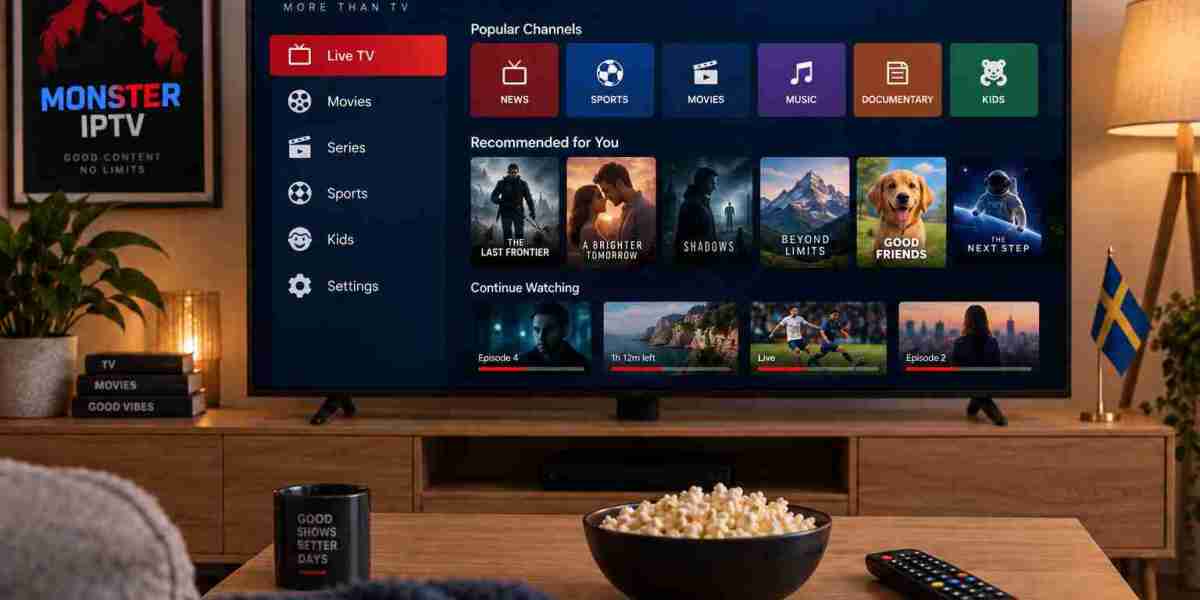

Internet-based television has changed how people access live TV, sports, films, and on-demand entertainment. Instead of relying only on traditional cable or satellite connections, IPTV delivers television content through an internet connection and can be used on a wide range of compatible devices.
For viewers in Sweden and other Nordic markets, the quality of an IPTV experience depends on more than simply choosing a service. Internet stability, hardware, application settings, Wi-Fi coverage, and device performance can all influence how smoothly a stream plays.
This guide explains the practical steps that can help create a more reliable IPTV setup at home.
How IPTV Streaming Works
IPTV stands for Internet Protocol Television. In simple terms, television content is delivered over an internet connection rather than through a traditional broadcast signal.
A typical IPTV setup includes:
- A stable broadband connection
- A compatible television, streaming box, mobile device, or computer
- An IPTV player or supported application
- Login or playlist information supplied by the service provider
Once these elements are configured correctly, users can browse available live channels and other supported content directly through their chosen device.
Unlike conventional television, IPTV streaming depends heavily on the quality of the connection between the internet router and the playback device. That is why network optimization is an important part of the setup process.
Start With a Stable Internet Connection
Internet speed matters, but speed alone does not determine streaming quality. Connection stability is often equally important.
A broadband connection may produce impressive results during a speed test while still experiencing temporary interruptions, wireless interference, or inconsistent latency.
Use Ethernet When Possible
Connecting a television or IPTV box directly to the router with an Ethernet cable is often the most reliable option.
A wired connection can reduce several common Wi-Fi problems, including:
- Signal interference
- Weak coverage
- Sudden speed fluctuations
- Congestion from multiple wireless devices
This can be particularly useful when watching high-resolution live sports or other content where buffering is more noticeable.
Improve Your Wi-Fi Setup
Ethernet is not always practical, especially in larger homes or rooms located far from the router.
If Wi-Fi is necessary, place the router in an open and reasonably central location. Avoid hiding it inside cabinets or placing it behind large electronic equipment.
Modern routers often support both 2.4 GHz and 5 GHz networks. The 5 GHz band can provide faster performance over shorter distances, while 2.4 GHz generally covers a wider area.
The better choice depends on the location of the television and the design of the home.
Choose the Right Device for IPTV
IPTV can work across many types of hardware, but devices do not all provide the same experience.
Processing power, available memory, operating system updates, application support, and network hardware can affect performance.
Smart TVs
Smart TVs provide a convenient solution because additional hardware may not be necessary.
Depending on the television platform, users may be able to install a compatible IPTV player directly from the device's application store.
However, older Smart TVs can become slower over time, particularly if they have limited storage or outdated operating systems.
Streaming Boxes
Dedicated streaming devices can be useful for users who want a more flexible television setup.
Android TV boxes, Apple TV devices, Fire TV products, and IPTV-focused boxes can support different streaming applications and interface options.
A dedicated box may also offer better responsiveness than an older television's built-in software.
Computers, Tablets, and Smartphones
IPTV is not limited to the living-room television.
Compatible services can also be accessed through computers, phones, and tablets using supported applications. This flexibility is useful for users who occasionally want to watch content away from their primary TV setup.
Before selecting a provider, it is worth reviewing its supported devices, installation information, subscription conditions, and available content. For example, users researching IPTV services aimed at Nordic viewers can review MONSTER IPTV alongside other options and compare the features that matter for their own setup.
Select a Suitable IPTV Player
The application used to play IPTV content can significantly affect the experience.
Some IPTV apps provide simple channel navigation, while others offer additional features such as:
- Electronic Program Guide support
- Favorites
- Search tools
- Channel categories
- Multiple playlist formats
- Parental controls
- External player support
The best application depends on the operating system and personal preferences.
A Smart TV user may prioritize simple navigation with a remote control, while someone using an Android-based streaming box may prefer greater customization.
It is also important to remember that an IPTV player and an IPTV service are not necessarily the same thing. Many applications are simply playback tools and do not provide television subscriptions themselves.
Understand HD, Full HD, and 4K Streaming
Higher resolution provides more picture detail, but it also requires additional bandwidth and stronger hardware.
HD
HD content generally places less pressure on the internet connection and can be practical for smaller screens or slower networks.
Full HD
Full HD, commonly associated with 1080p video, offers a sharper picture and is widely used for television, films, and sports.
4K UHD
4K content contains considerably more visual information than Full HD. A compatible 4K television alone is not enough. The streaming source, player, device, HDMI connection, and network must all support the necessary quality.
For this reason, users should not automatically select the highest available resolution when experiencing connection problems.
A stable Full HD stream can provide a better viewing experience than an unstable 4K stream that frequently buffers.
Reduce IPTV Buffering
Buffering is one of the most common streaming complaints, but it can have several different causes.
Before assuming that the IPTV service itself is responsible, check the local network and playback device.
Restart the Equipment
Restarting the router, streaming device, and IPTV application can clear temporary network or software issues.
It is a simple troubleshooting step but often worth trying first.
Close Background Applications
Streaming boxes, phones, computers, and Smart TVs can have multiple applications running simultaneously.
Closing unnecessary apps can free memory and processing resources.
Check Other Network Activity
Large downloads, cloud backups, online gaming, and several simultaneous video streams can consume significant bandwidth.
If buffering appears only when other people are heavily using the network, local congestion may be the cause.
Keep Apps Updated
Updates can contain performance improvements, bug fixes, and compatibility changes.
Keep the IPTV player and device operating system reasonably up to date, especially when unexplained playback problems begin after previously working normally.
Organize Channels for Easier Navigation
A large content library can become difficult to navigate without some organization.
Instead of browsing the entire channel list each time, use features such as favorites and categories when the application supports them.
Users might create separate favorites for:
- Swedish television
- Sports
- News
- Films
- Children's programming
- International channels
Good organization does not directly improve streaming performance, but it makes everyday use considerably easier.
Use the Electronic Program Guide Effectively
An Electronic Program Guide, usually called an EPG, displays information about current and upcoming television programs.
When correctly supported by both the provider and the player, an EPG can make IPTV feel much closer to a traditional television interface.
If guide information is missing, verify that the application has refreshed its EPG data and that the relevant source has been configured correctly.
Different IPTV applications handle program information differently, so instructions can vary between devices.
Keep Your Streaming Setup Simple
A complicated home entertainment system is not always better.
For many users, an effective IPTV setup consists of just four elements:
- Reliable broadband
- A capable playback device
- A suitable IPTV application
- A properly configured subscription
Adding unnecessary applications, adapters, network extenders, or complicated router settings can sometimes create more troubleshooting problems.
Build a simple setup first and make improvements only when there is a clear reason to do so.
What to Check Before Choosing an IPTV Service
Streaming quality is important, but it should not be the only consideration when comparing IPTV options.
Look at practical factors such as:
Device Compatibility
Confirm that the service supports the device you actually plan to use.
Installation Guidance
Clear setup instructions can make a major difference, particularly for first-time IPTV users.
Content Information
Review the available channel or content information instead of assuming that every provider offers the same selection.
Subscription Options
Different subscription periods can suit different types of users. Someone testing a setup may prefer a shorter period, while an established user may prefer a longer subscription.
Customer Support
Technical problems can occur with applications, routers, devices, and account configurations. Accessible support can therefore be valuable.
Final Thoughts
A smooth IPTV experience depends on the complete streaming environment rather than a single factor.
Reliable internet, a suitable playback device, the right application, sensible network configuration, and proper maintenance can all improve day-to-day viewing.
Start by creating the simplest reliable setup possible. Use Ethernet where practical, keep the streaming device updated, select applications that work well with your hardware, and troubleshoot the local network before making major changes.
With the right combination of connection quality, hardware, and configuration, IPTV can provide a flexible way to access television and entertainment across Smart TVs, streaming boxes, computers, and mobile devices.